

You have the app downloaded, the ukulele in your hands, and absolutely no idea where to begin. That feeling is more common than you think, and it has nothing to do with talent. What most beginners are missing is simply a clear sequence to follow. This walkthrough gives you exactly that – a step-by-step path through the Kala app that takes you from a freshly unboxed ukulele to playing your first complete song today.
Whether you picked up a soprano for the first time this week or dusted off a concert uke that has been sitting in the corner, the process is the same. Follow these steps in order and the payoff – one clean, satisfying run-through of a real song – is genuinely within reach.
Getting your ukulele ready in the app: Tune!
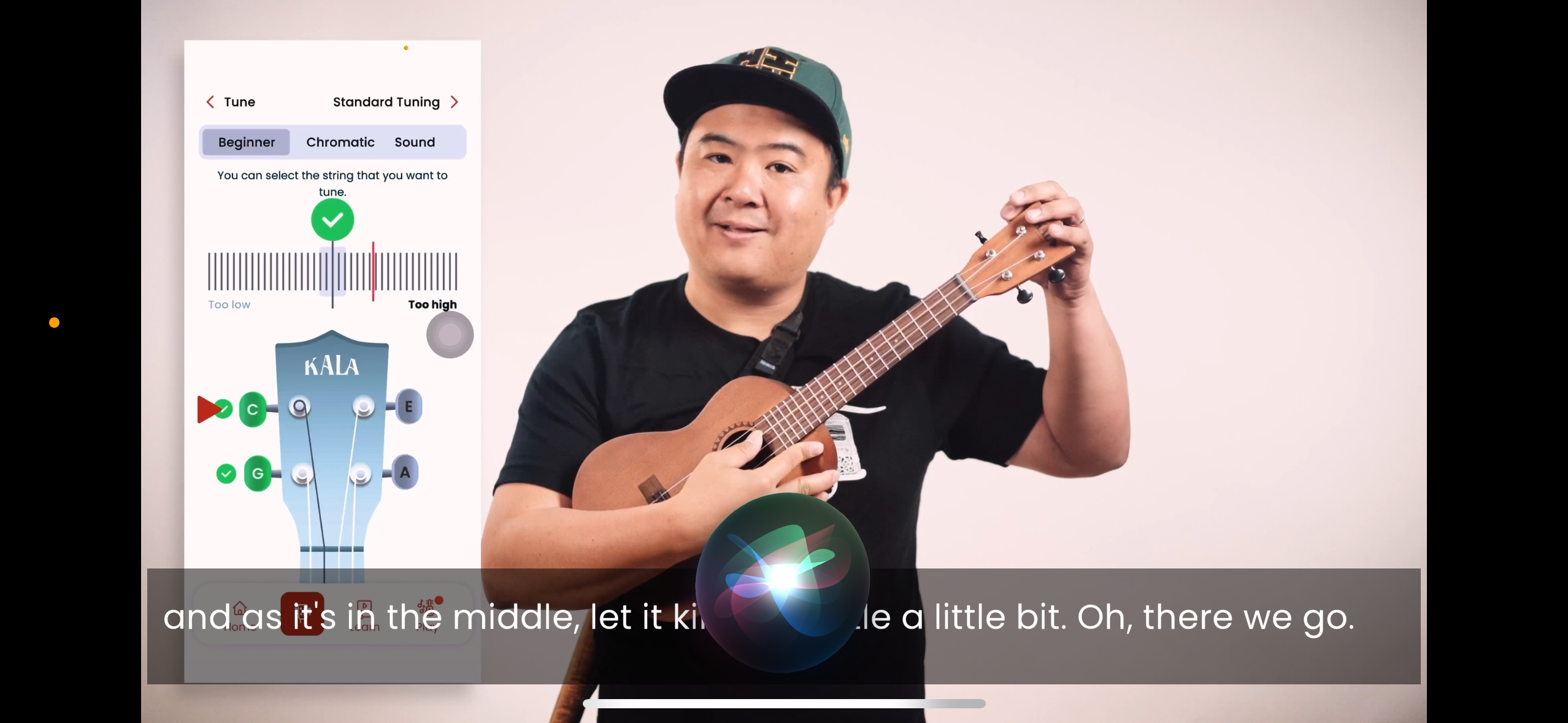
Before a single chord is played, the ukulele needs to be in tune. An out-of-tune uke sounds wrong no matter how good the technique is, and it makes everything harder to learn because the ear never gets a chance to recognise what correct actually sounds like.
Open the Kala app and tap the Tune tab. Select Standard tuning and, if the option is available, Beginner Mode. Then start with the G string, the one closest to you.
Watch the tuner needle on screen – the goal is to land in the green zone, then move to the next string. Adjust the tuning pegs slowly and pluck again until all four strings are settled. Usually turning the peg towards you tightens the string, but you need to listen which direction the pitch goes when turning it.
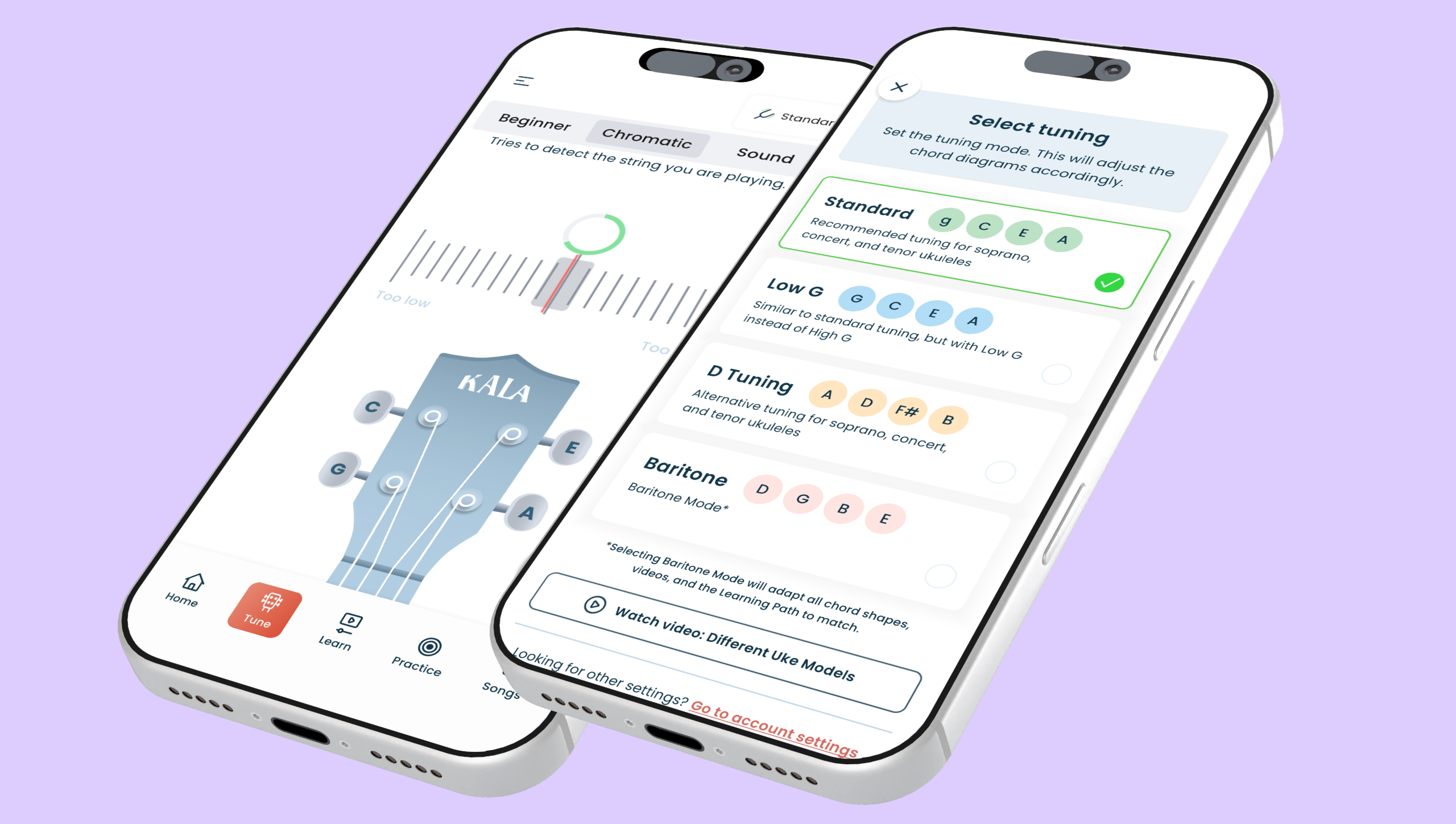
as well as several modes.
This step takes about two minutes, and it is worth doing every single time the ukulele comes out. Tuning first also quietly trains the ear to recognise pitch – a skill that pays off the longer the ukulele journey continues.
Finding the right song for your skill level
Once the ukulele is in tune, the temptation is to jump straight to the song library and start browsing. Resist that urge – at least briefly. The Learn section of the Kala app contains a structured Learning Path built by real ukulele teachers, and it exists for a very good reason. It walks through the foundational skills, chords and strumming patterns that almost every beginner song is built on.
Work through the first few lessons on the Learning Path before heading to songs. It does not take long, and the muscle memory built there is exactly what makes song-learning feel manageable rather than frustrating. The app tracks progress as lessons are completed, so there is a visible sense of momentum from the very first session.
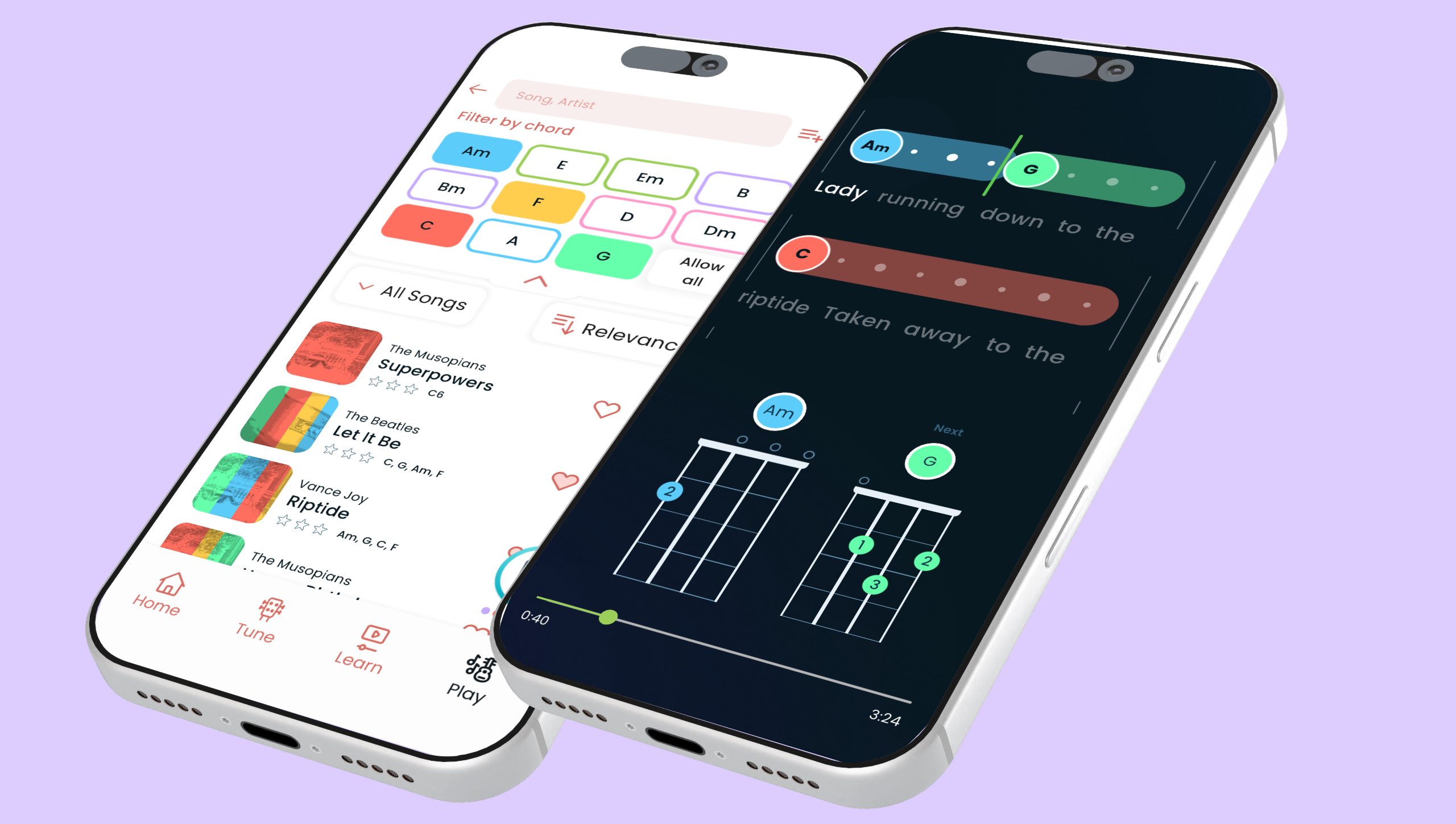
When the basics are covered, head to the Songs section. A handful of songs come up again and again as ideal first choices: Riptide by Vance Joy, I’m Yours by Jason Mraz, No Woman No Cry by Bob Marley, Happy Birthday, and Amazing Grace.
These songs share something important – they are all built around C, G, Am, and F, the same four chords the Learning Path will already have introduced.
Handy Tip: You can use the chord filter in the app to find the songs with chords you already know.
Breaking down a song with Kala’s learning tools
Every song in the Kala Ukulele App opens with a preview screen that shows which chords appear in the song, chord diagrams, and a preview of the strumming pattern. Do not skip this screen. Knowing what is coming before attempting to play along makes the whole experience less reactive and more intentional.
Getting comfortable with the chords
Tap each chord diagram on the preview screen to see the exact finger placement. If a chord is unfamiliar, open the diagram and take a moment to get a clean sound before moving forward. It might sound buzzy at first, but you will eventually get there 🙂
Once each chord sounds clean in isolation, practice switching between them slowly. The transitions between the 3rd finger G and the other chords is where most beginners slow down. That is completely normal, and it improves gradually with repetition.
Learning the rhythm with the Strum Player
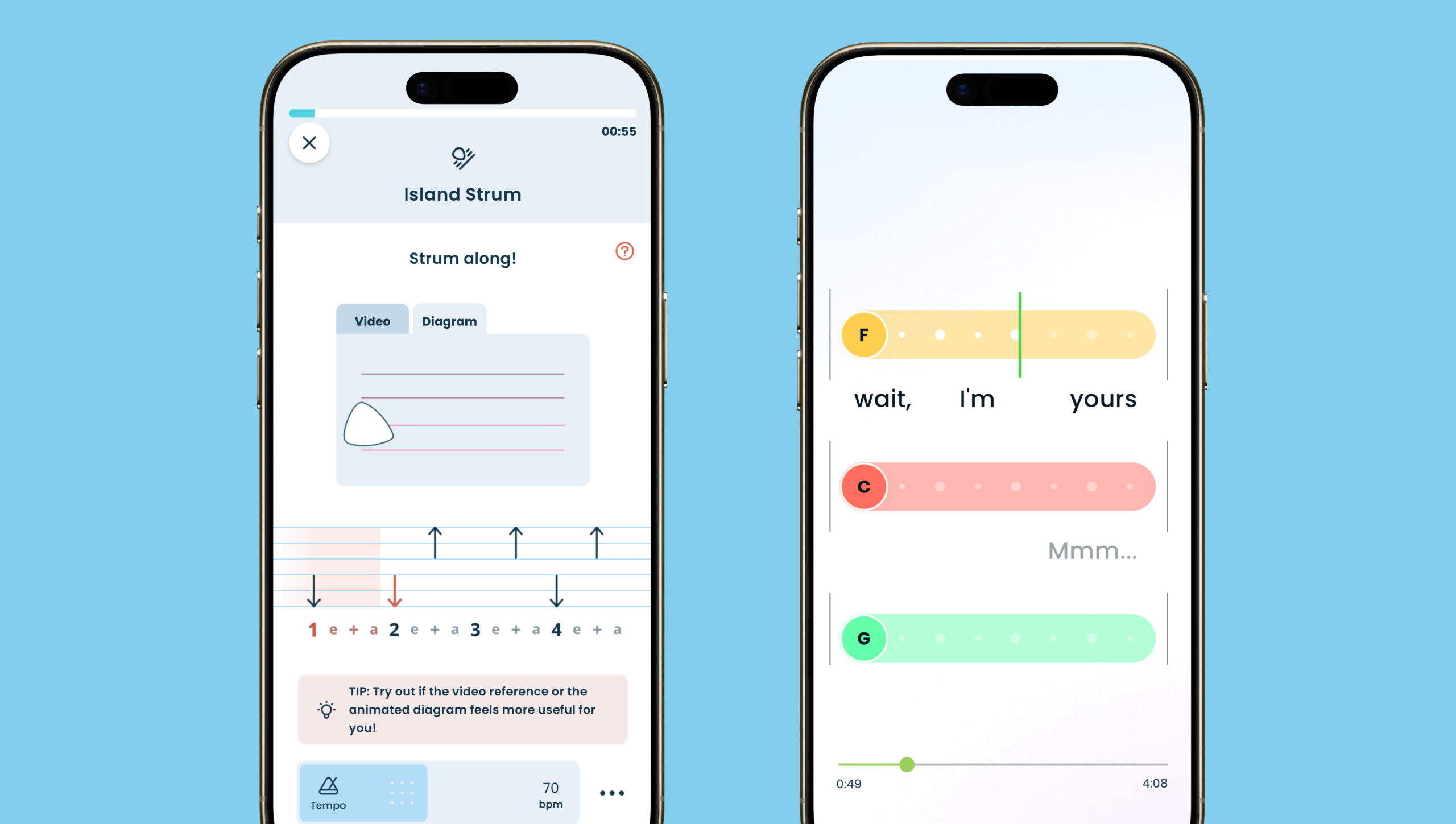
Strumming patterns are easier to absorb separately before combining them with chord changes. A good tip is to mute the strings with your fretting hand and concentrate on just the strumming hand.
The Strum Player in the app breaks down the pattern and allows the tempo to be slowed right down. The key is to match your hand movement to the purse of the music and make it relaxed.
Playing along with the full song
Hit Play and the chords scroll across the screen in time with the music. Use the tempo slider to slow the song down – up to half speed if needed – so there is time to make each chord change without rushing. If you feel comfortable singing along, singing along, even quietly, also helps with timing and makes it easier to remember where each chord falls in the song.
Tracking progress from first strum to full playthrough
Progress in the early stages of learning ukulele can feel invisible, which is one of the reasons many beginners give up before they get to the good part. The Kala App solves this by tracking completed lessons and songs, making the momentum visible rather than something that has to be taken on faith.
Use the Practice functions within the app to drill the chord transitions that feel shaky. The aim is not a perfect performance on day one – it is one clean, complete run-through of the chosen song. That single achievement changes how the whole process feels. Once a song is completed and tracked, the confidence to move on to the next one comes naturally.
A Kala App premium subscription unlocks daily practice sessions with full progress tracking, the complete song library, and every lesson on the Learning Path – the fastest route from first strum to playing songs with confidence. But even within the free experience, the structure is there to get a first song under the fingers.
The sequence works: tune up, follow the Learning Path, pick one beginner song, use the tools to break it down, and play along until it clicks.
The first song is closer than it feels!