
There are dozens of tuner apps out there, and if you’ve just picked up a ukulele for the first time, choosing between them feels like a surprisingly high-stakes decision. Get it wrong and every session starts with a ukulele that sounds slightly off — which makes learning harder and, honestly, a lot less fun. The good news is that the best ukulele tuner app doesn’t need to be complicated to find. It just needs to do a few specific things well.
This post breaks down exactly what to look for in a ukulele tuner app, how the Kala Ukulele App handles tuning, and why having your tuner built into a full learning app is a genuinely better setup than juggling separate tools.
What to look for in a ukulele tuner app
A good ukulele tuning app does more than just show you a needle on a screen. The best ones are accurate, fast to respond, and designed with ukulele players specifically in mind rather than retrofitted from a generic instrument tuner.
Accuracy and response speed
The most important quality in any chromatic tuner ukulele players can rely on is accuracy. A tuner that lags or drifts will have you chasing a moving target every time you pluck a string. Look for one that responds quickly to the note and holds steady long enough for you to make a confident adjustment.
Ukulele-specific string detection
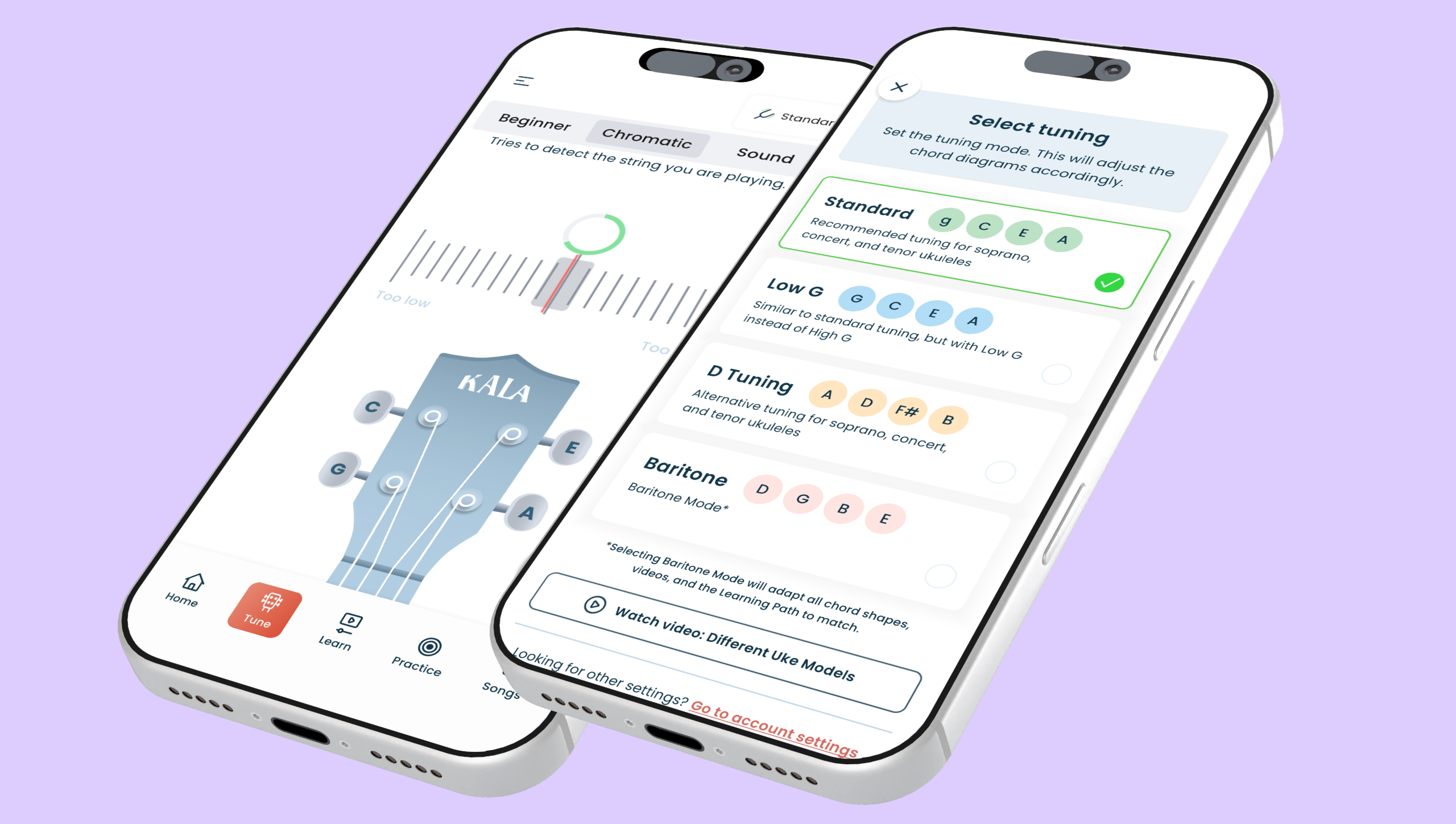
Standard ukulele tuning is G-C-E-A — soprano, concert, and tenor ukuleles all use this. Baritone ukuleles are different, using D-G-B-E tuning (the same as the top four strings of a guitar). A solid ukulele tuner app should handle all four ukulele types without confusion, and ideally let you select which one you’re playing so the detection is calibrated correctly.
Ease of use for beginners
If you’re new to tuning, the visual feedback matters a lot. Pitch — how high or low a note sounds — isn’t something most beginners can hear precisely yet. That’s completely normal. A clear indicator that moves toward a center point and turns green when the note is correct removes the guesswork entirely. You don’t need to know what “in tune” sounds like if the app can show you.
Free availability
A tuner is something every player uses before every session. It shouldn’t sit behind a paywall. The best options give full tuner access for free, with premium features reserved for lessons, songs, and more advanced tools.
How the Kala Ukulele App handles tuning
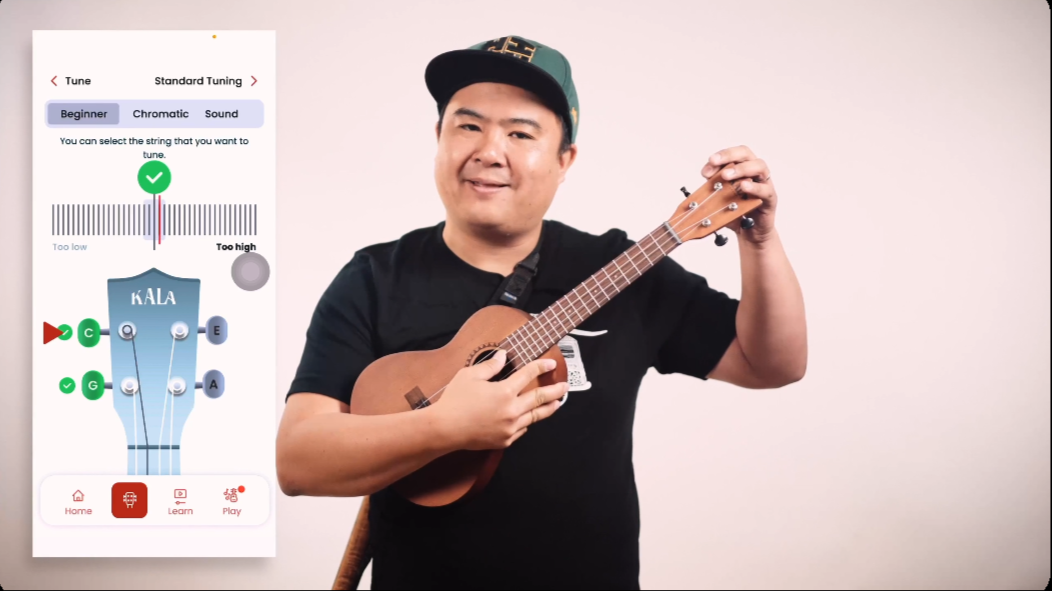
The Kala App’s built-in tuner lives in the Tune tab and uses the device’s microphone to pick up the sound of each string as you pluck it. No clip-on hardware, no cables — just open the app and start tuning.
The tuner covers soprano, concert, tenor, and baritone ukuleles, so whatever instrument is in your hands, the app is calibrated for it. Select your ukulele type, pluck a string, and the indicator moves toward the center. When it settles there and the display turns green, that string is in tune. That’s the whole process.
For best results, tune in a quiet space. The microphone picks up the vibration of the string, and background noise can interfere with the reading. One other thing worth knowing: if you’re using new strings, they’ll go out of tune quickly for the first few days. That’s not a sign of a broken instrument — new strings just need time to stretch in and settle. Keep tuning, and they’ll stabilise.
A good tuning order to follow is G first (the string closest to you when holding the ukulele), then C, then E, then A. Starting with G gives the other strings a reference point to work from.
Tuning accuracy and real-world performance
Microphone-based tuners are only as good as the environment they’re used in, but in normal playing conditions the Kala App’s tuner is accurate and responsive. The needle moves smoothly, the green indicator is unambiguous, and the ukulele-specific string detection means the app isn’t guessing which note you’re aiming for.
Compared to a physical clip-on tuner, the app has one clear advantage: it’s always with you. Your phone is already in your pocket. There’s no separate device to forget, lose, or run out of battery at an inconvenient moment. The clip-on tuner is a fine tool, but the tune ukulele app approach removes one more thing standing between you and actually playing.
Where the Kala App genuinely pulls ahead of standalone tuner apps is context. Most dedicated tuner apps do one thing. The Kala App does three: tune, learn, and play. Opening it to tune means you’re already inside an app with 150+ structured lessons, a chord library of 200+ diagrams, and a song library of 2,000+ tracks. The tuner is the starting point of a full practice session, not a separate step before it.
Free vs. premium tuner app features
The tuner in the Kala App is completely free. No subscription required, no time limits, no strings attached (other than the four on your ukulele). Every user gets full access to the Tune tab regardless of whether they’re on a free or premium plan.
What a premium subscription adds is everything around the tuner: the full Learning Path designed by UkuLenny and a team of professionals, daily practice sessions, progress tracking with digital milestone certificates, and the complete 2,000+ song library with adjustable backing tracks. For a beginner, the free tier is a genuinely useful starting point. The tuner works, introductory lessons are included, and a selection of songs is available to practice on.
Most standalone tuner apps stop at the tuner. That’s fine if all you need is a quick pitch check, but if you’re learning to play, having lessons and songs in the same place as your tuner means one app covers everything. It’s a simpler setup, and simpler usually means you actually use it.
So go ahead: open the Tune tab, get those strings in order, and then stay in the app for a lesson or a song. Everything you need is already there. Uke on.